
CarShield
CarShieldAuto & Vehicles
4.5938.00 Reviews
- Version
- 2.8.0
- Installs
- 100.00K
- Age Rating
- Everyone
Screenshots
Our Review of CarShield
 Analysis by Appyee
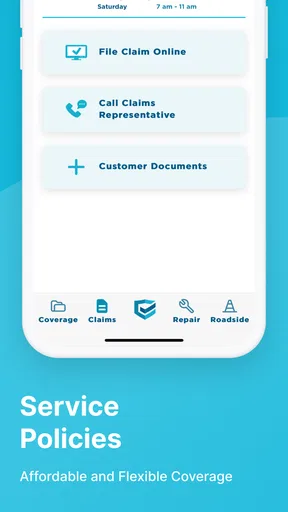
I approached CarShield as the kind of app you open when your vehicle needs attention, not when you want to browse for entertainment. It belongs to the Auto & Vehicles category and is developed by CarShield, with a focused purpose: giving customers a place to view their contracts, handle payments, and request roadside assistance. That narrow scope is important. It does not try to replace every driving or maintenance tool on a phone, but it can reduce the need to search through emails, make a phone call, or find paperwork when something goes wrong.
My overall impression is that the app makes the most sense as a companion to an existing CarShield relationship. If you already have a contract with the company, the ability to keep account tasks together can be genuinely useful. If you are simply looking for a general roadside service app, a vehicle log, a fuel tracker, or a repair-cost planner, this is not designed for those jobs. The best way to judge it is by how smoothly it helps with three practical moments: checking what your contract covers, making a payment, and asking for roadside help.
Where the experience can get stuck
The first point of friction is expectation. A person may install the app after seeing the roadside assistance option and assume it works like a universal emergency service. In practice, its value is tied to the CarShield account and contract behind it. I would treat the app as an account-access tool first and a roadside-request tool second. That distinction helps avoid wasting time trying to use it for a vehicle or service arrangement that is not connected to CarShield.
Account access is another likely stumbling block. When a mobile app is built around contracts and payments, the sign-in details need to match the customer record. A small difference in an email address, phone number, or password can prevent the useful parts of the app from appearing. Before assuming the application is broken, I would carefully check the details being entered and make sure I am using the account associated with the vehicle service agreement rather than a different personal login.
There is also a practical difference between viewing information and changing information. An app can make a contract easier to read without making every contract question instantly obvious. Coverage language, service conditions, and roadside procedures may still require careful reading. I would not rely on a quick glance at the screen before approving a repair or assuming that every situation qualifies for assistance. The app is helpful for bringing account information closer, but it does not remove the need to understand the agreement.
Payment tasks can create their own uncertainty. If a payment screen does not immediately show the result, repeatedly tapping the button is a poor recovery strategy. It can create confusion about whether the first attempt went through. I prefer to pause, check the account status, and look for a confirmation before trying again. This is one of those small habits that matters more in a vehicle-service app than in a casual shopping app because duplicate payment attempts are an unnecessary risk.
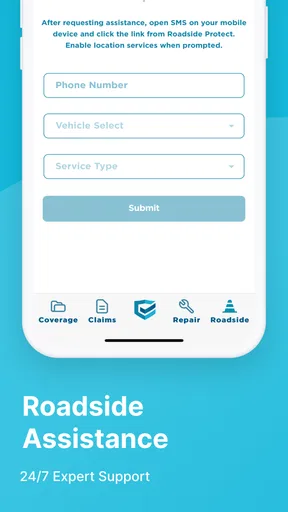
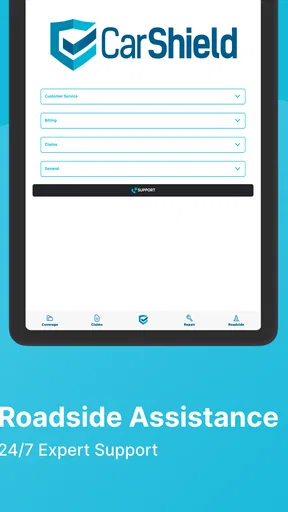
Roadside requests also demand accurate information. When a car is stopped on a busy road, a vague location can slow down the response. I would prepare the vehicle location, a nearby landmark, the problem as clearly as possible, and a callback number before beginning the request. That preparation is useful even if the app itself works perfectly. A polished request with incomplete location details is still likely to be less effective than a simple request with precise information.
What I would check before blaming the app
My first check would be whether the phone has a reliable internet connection. Switching between a weak mobile signal and unstable public Wi-Fi can make an account screen appear to load indefinitely. If the connection is questionable, I would move to a safer signal or retry later rather than repeatedly closing and reopening the app. This is especially important when submitting a payment or roadside request, where the final status matters more than simply opening the application.
Next, I would confirm that the app is current. The installed version is 2.8.0, and keeping an app updated is a sensible first step when a screen behaves differently from expected. I would also check that the phone meets the stated minimum operating-system requirement of Android 7.0 or later. That requirement makes the app accessible to many older devices, but an older phone can still have performance limitations that are separate from compatibility.
I would then close the app completely and reopen it once, rather than treating repeated restarts as a solution. If the problem involves a payment or service request, I would first note what I had already submitted. Restarting is useful for clearing a temporary loading problem, but it should not become a way of guessing whether an action succeeded.
Another useful setup check is making sure the correct vehicle and contract context is visible before starting a task. If the app displays account information that does not match the vehicle needing help, I would stop there and resolve the account issue first. Requesting roadside service from the wrong account context could create more delay than contacting the appropriate support channel directly.
The app is free to install, and its content rating is Everyone, so there is little barrier to trying it on a compatible device. Still, free installation should not be confused with universal access to every function. The meaningful parts depend on the customer relationship, the contract, and the account details used during setup. That is a normal trade-off for a service-management app, but it is worth understanding before a driver relies on it in an emergency.
Recovering a workflow when something goes wrong
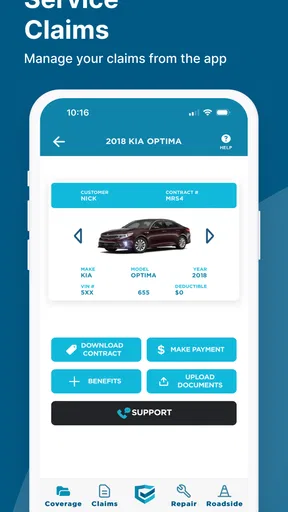
For contract viewing, I would use a simple sequence: sign in, confirm the account identity, open the relevant contract area, and read the details slowly enough to distinguish general information from conditions that affect a specific repair. If the contract does not appear, I would avoid creating multiple new accounts immediately. Multiple sign-ins can make it harder to remember which credentials belong to the active customer record.
For payments, I would begin when the phone has a stable connection and enough battery for the process. After submitting, I would wait for a clear result and then verify the account status inside the app if that information is available. If the screen freezes, I would record the approximate time of the attempt and avoid making a second payment until I know what happened. This is not a special feature of CarShield; it is a practical workflow that prevents an app delay from becoming a financial mess.
For roadside assistance, I would prepare before opening the request screen. I would identify whether the car is in a safe position, gather the location details, and describe the issue in plain language. A driver who says “the vehicle will not start” gives a more useful starting point than someone who only says “I need help.” I would also keep the phone available after submitting, because a roadside request is a live service task rather than a form that can be forgotten immediately.
If a request does not appear to complete, I would look for any visible confirmation before attempting it again. When the situation is unsafe, I would prioritize personal safety and use the most appropriate emergency or direct assistance option for the location. The app can organize a roadside request, but no mobile interface should encourage someone to remain in danger while troubleshooting a loading screen.
One of the app’s less obvious strengths is that it can reduce the mental load of remembering where contract and payment information lives. That benefit is easy to overlook because it is not flashy. In a normal month, the app may only be opened briefly. Its real value appears when a driver is stressed, away from home, or trying to settle an account task without searching through old documents.
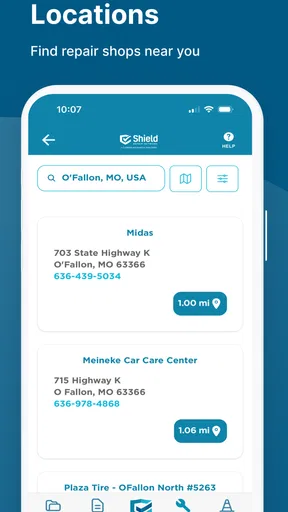
At the same time, that narrow focus is also its main limitation. I would not expect it to provide a complete vehicle ownership dashboard. It is not the place I would look for fuel history, tire-pressure records, maintenance reminders, route planning, or a general directory of repair shops. Someone who wants those tools will probably be better served by a dedicated car-maintenance app or the vehicle manufacturer’s application.
When the app is not the cause
Some failures are outside the app’s control. A payment may be delayed by a bank, card issuer, or account issue. A roadside request may take time because of location, traffic, availability, or the nature of the breakdown. A contract question may require human clarification because the written terms depend on details that a compact mobile screen cannot explain fully. In those cases, repeatedly reinstalling the app will not solve the underlying problem.
I also would not judge the entire experience by a single slow screen. Mobile performance can vary with the phone, operating system, network, and background activity. If the app works on one connection but not another, that points toward the environment rather than the account interface itself. Testing once on a dependable connection is more informative than making several assumptions based on a weak signal.
The same applies to roadside location. A phone may know where it is while the driver still needs to communicate the correct access point, parking area, highway direction, or landmark. Location technology can provide a starting point, but it does not replace the driver’s knowledge of the surroundings. I would review the details before submitting instead of assuming that an automatically suggested location is perfect.
There is also a human factor in contract management. If the information seems confusing, I would not interpret that confusion as an app defect straight away. Contract language can be complicated, and a small screen may make it harder to compare sections. In that situation, the app remains useful as a place to access the material, while a direct conversation with the company may be the better route for a definitive explanation.
Compared with calling for every task, the app is more convenient when I already know what I need to do and the account information is straightforward. I can check a contract or begin a payment without waiting for a representative. Compared with a generic roadside app, its advantage is the connection to CarShield-related account activity rather than broad coverage of unrelated vehicle services. Compared with keeping paper documents in the glove compartment, it is easier to access when the documents are not nearby, although it depends on the phone, battery, connection, and successful account access.
That comparison also explains who should skip it. If you do not have a CarShield contract, or if you want a single app for all vehicle ownership tasks, this will probably feel too limited. If you strongly prefer speaking with a person for payments and roadside help, the app may not change your routine. It is most appropriate for customers who value self-service and want contract, payment, and roadside actions in one company-specific place.
My practical verdict after using it
CarShield is a focused Auto & Vehicles app rather than a broad motoring toolkit. I like it most for reducing small administrative obstacles: finding contract information, handling a payment, and starting a roadside request without searching for separate paperwork. The experience is strongest when the account is already set up correctly and the user approaches each task with the right information ready.
Its current version, 2.8.0, is available for devices running Android 7.0 or later. The app is free, carries an Everyone rating, and has passed the scale of a small experiment, with over 100 thousand installs. Its average rating is 4.5 from around 4.9 thousand ratings, while the review count is close to 940. Those figures suggest that many users find the basic purpose worthwhile, but they do not remove the need to judge whether its account-based design fits your situation.
The developer, CarShield, released the app on May 4, 2021, and the product has stayed centered on practical customer tasks rather than trying to become a full vehicle-management platform. I see that restraint as a benefit for the right person. A smaller set of relevant actions can be easier to navigate than a crowded dashboard, especially when the immediate goal is simply to check coverage or request help.
My strongest recommendation is to install it before you need it, then confirm that you can sign in and recognize your contract details while the car is safely parked. That one preparation step turns an emergency download into a familiar tool. I would also keep the account details current, avoid duplicate payment attempts when a screen is uncertain, and prepare precise location information before requesting roadside assistance.
In the end, I would recommend it to an existing CarShield customer who wants convenient account access on a phone. I would not recommend it as a replacement for a general maintenance tracker, a universal roadside directory, or personal advice about contract terms. Used for what it actually does, it is a practical service companion. Its success depends less on having many features and more on whether those few features are available, understandable, and ready when a driver needs them.
Verdict
Strengths of CarShield
- Helps organize vehicle protection details in one place.
- May reduce stress when unexpected mechanical issues arise.
- Offers access to claims support through digital channels.
- Coverage options can suit different vehicle ages and needs.
- Useful for comparing repair-cost protection before choosing a plan.
Limitations of CarShield
- Coverage exclusions and limits may vary significantly by contract.
- Claims can require authorization before repairs begin.
- Some repairs or parts may not qualify for reimbursement.
- Monthly costs can add up if you rarely need covered repairs.
- Service availability and plan options may depend on your location.
Similar Picks in This Category
View All
Android Auto
Google LLC4.1

maxim — order a taxi & food
PT. SITO4.7

Штрафы ГИБДД: проверка с фото
Pays LLC – Штрафы ГИБДД4.7

Номерограм – проверка авто
Авто Ассист4.8

Дром Авто
Дром4.9

Frequently Asked Questions
What is CarShield, and what does the app do?
CarShield is primarily a vehicle protection and extended service contract provider, with its mobile experience designed to help customers manage coverage and access support. Depending on your plan and location, you may be able to review contract information, contact customer service, request roadside assistance, and find help when your vehicle needs repairs. Features and availability can vary, so check the terms of your specific agreement before relying on the app for coverage decisions.
Does CarShield cover every vehicle repair and maintenance expense?
No. CarShield coverage is not automatically an all-inclusive warranty, and routine maintenance, pre-existing problems, cosmetic damage, and certain parts or repairs may be excluded. Coverage depends on the service contract you purchase, its limitations, deductible, waiting period, and the administrator’s approval process. Before downloading or subscribing, read the contract carefully and confirm whether your vehicle’s age, mileage, model, and repair needs qualify.
How do I use CarShield when my vehicle breaks down?
If your vehicle develops a covered mechanical problem, contact CarShield or the assistance channel listed in your service contract before authorizing repairs whenever possible. The repair facility may need to diagnose the issue and obtain approval from the contract administrator. Using an unauthorized shop or beginning work without approval could affect reimbursement. Keep your contract details, vehicle information, repair estimates, and maintenance records available to help speed up the claim process.
Is CarShield available for both Android and iPhone users?
CarShield’s digital services may be accessed through supported mobile platforms, although the exact app availability and feature set can change over time. Android and iPhone users should verify the developer name, ratings, permissions, and latest update information in the official Google Play Store or Apple App Store. If an official app is unavailable in your region, use CarShield’s verified website or customer-service channels rather than downloading an unofficial alternative.
Is CarShield worth downloading or subscribing to?
The app can be useful for existing customers who want easier access to account information, assistance, and support, but downloading it does not by itself provide vehicle protection. Whether a CarShield plan is worthwhile depends on your vehicle’s reliability, repair costs, contract exclusions, deductible, monthly price, and cancellation terms. Compare the agreement with manufacturer coverage, independent warranty providers, and a personal repair fund before making a financial commitment.
